Set up the pool, rotate the players card, track every turn, and settle up with a clean report for each person.
Loading your saved pulls...
This organizer stays in your browser. Export or print your records before clearing browser data. It is an organizational tool, not tax or legal advice; keep casino statements and consult a qualified tax professional.
Instructional guide
How to run a group slot pull
The organizer follows the order a real pull happens. Save each section before moving on, and export a backup after setup and again after settlement.
01
Agree on the rules
Choose proportional, equal or custom ownership. Decide the buy-in, turn size, players-card method, bonus prizes, handpay reserves and what happens if someone pays late.
Best practice: save the rules before inviting players. The flyer and reports repeat the saved version.
02
Build the roster and games
Add every participant, including a host who is not buying in. Add the machines or games in play order and record the usual wager so batch entries can suggest the correct total.
Use the invitation tools only after the setup is saved. They never add participant names, contributions or private photos automatically.
03
Collect and confirm funds
Record money actually received. A commitment is a promise; it does not become part of the pool until it appears in the contribution ledger.
Review the paid, part-paid and unpaid labels before starting. Ownership percentages use collected money when the pull is proportional.
04
Run the live pull
Confirm the physical players card, then record each spin or batch with the total wager and gross return. The sticky live panel keeps the active player, card and bankroll visible.
Record a handpay against its winning entry. Include the full win in the play result, then record actual withholding and any agreed reserve separately.
05
Add photos safely
Tag a photo to the group or selected players and choose whether it belongs in reports. Paperwork marked sensitive starts excluded.
A player statement receives group photos and that player's tagged photos. It does not receive another player's private images.
06
Reconcile, settle and share
Count the closing shared-pool cash before paying anyone. Explain any difference from the ledger, review the rules and lock the settlement.
Download one private PDF per player, the organizer report and the settlement CSV. Record payments in the tool and keep a final backup with photos.
Generated by the live report engine
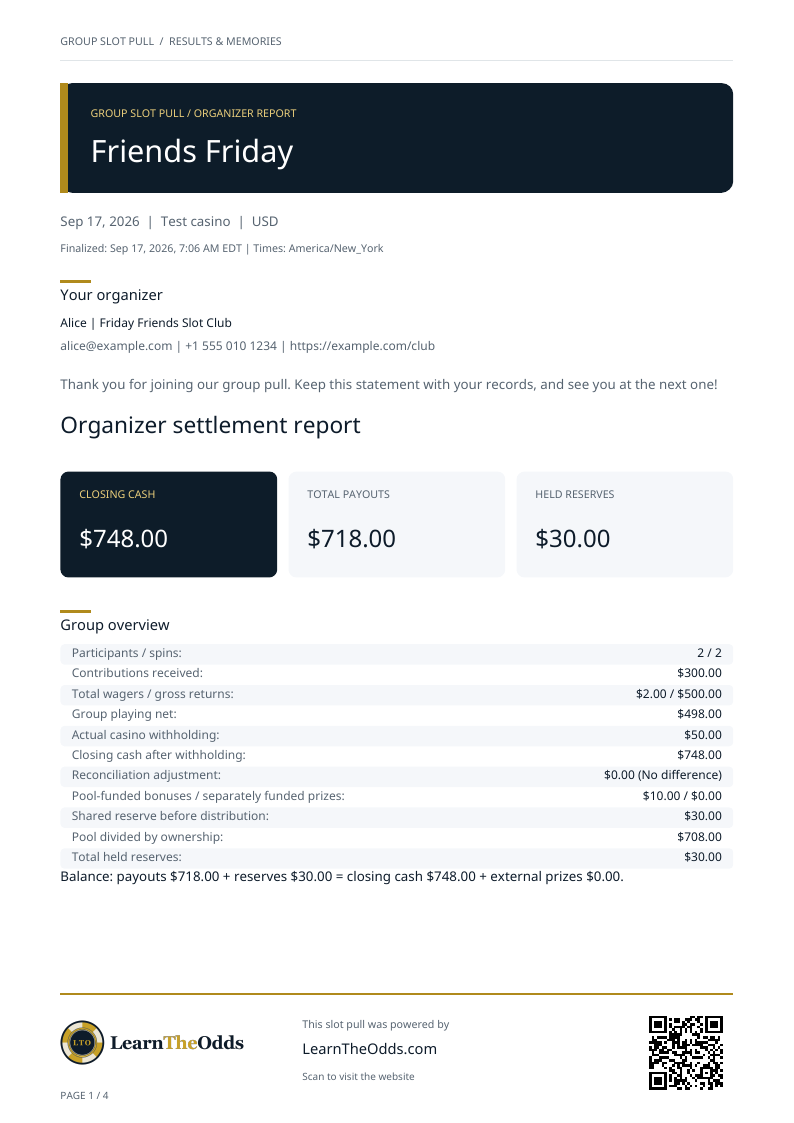
Sample group pull reports
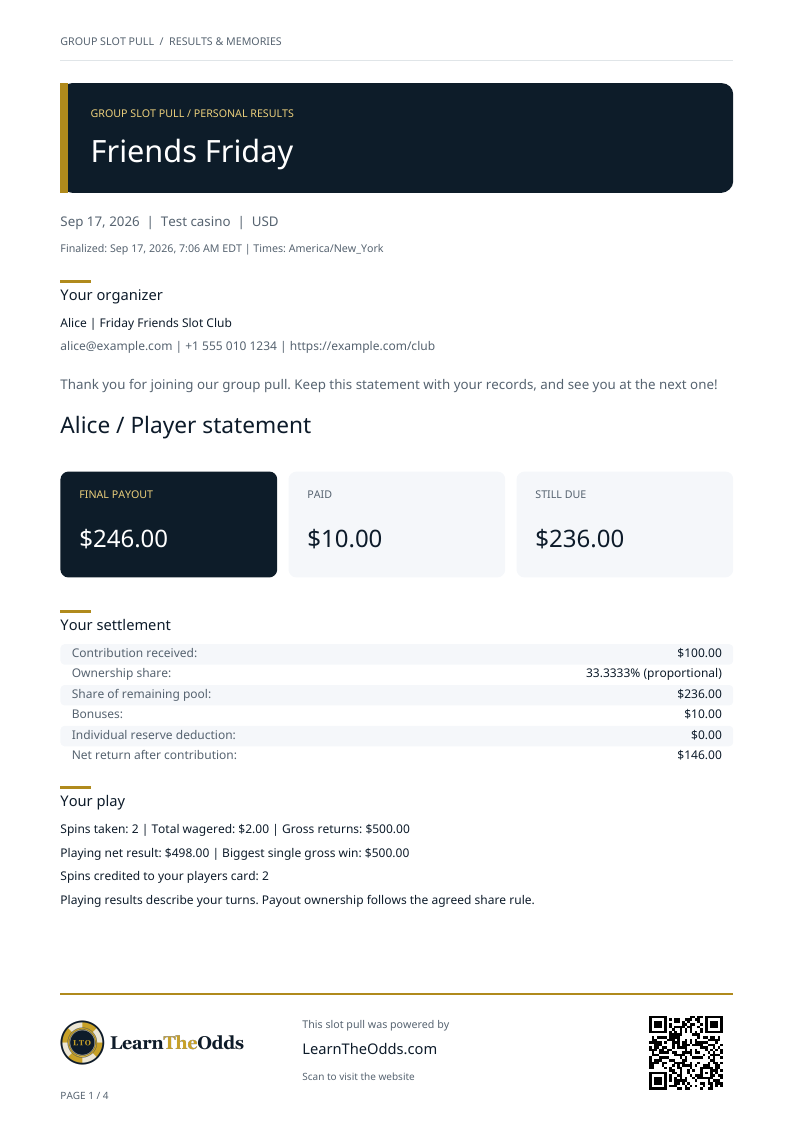
These examples use fictional names, contact details and results. They show the same PDF layout the organizer downloads after settlement.
Private participant copy
Sample player statement
Shows one player's settlement and play totals, the group reconciliation, relevant handpay information and only the photos permitted for that player.